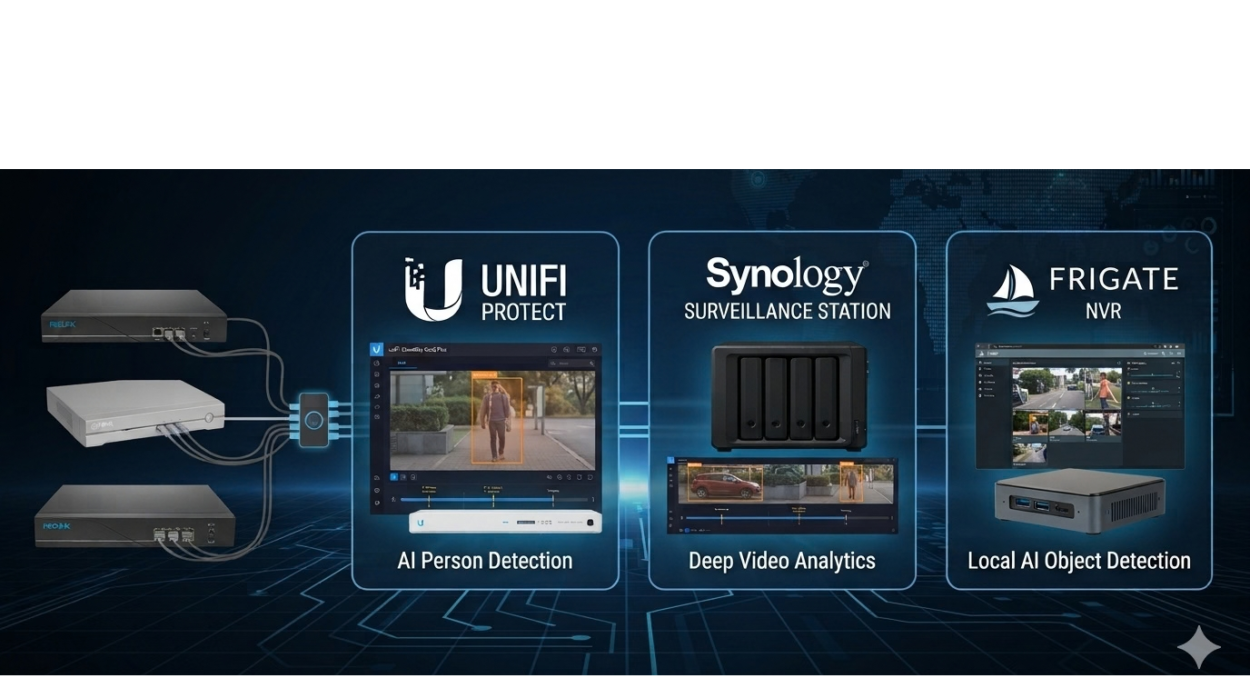
Your existing Reolink, Dahua, Swann PoE system may still record perfectly well. The problem appears when you need to find one person, vehicle or incident and the only practical method is scrubbing through hours of footage.
That is the real reason to consider an AI-powered surveillance upgrade. Better image quality is useful, but faster investigation is often more valuable.
There are three sensible ways forward:
- Replace the recording platform and cameras with Ubiquiti UniFi Protect;
- Connect compatible existing cameras to Synology Surveillance Station; or
- Build a flexible, self-managed system with Frigate.
For most homes and small businesses, my recommendation order is UniFi Protect first, Synology Surveillance Station second and Frigate third. The right answer still depends on the exact Reolink, Dahua, Swann model numbers and what you expect “AI” to do.
What should “AI-powered surveillance” actually mean?
The term AI camera is used loosely. These capabilities are related, but they are not interchangeable:
- Object detection identifies broad categories such as people, vehicles or animals.
- Event filtering narrows recordings by camera, time, object type or event tag.
- Semantic search uses a plain-English description or reference image to find visually similar recorded events.
- Face recognition attempts to match a detected face with an enrolled person.
- Automatic number-plate recognition (ANPR/LPR) attempts to read the characters on a vehicle’s registration plate.
A platform that detects a vehicle does not necessarily read its plate. A timeline filter for “person” is also not the same as searching for “person in a red shirt carrying a box”.
Recognition depends on the image presented to the software. Camera position, focal length, shutter speed, lighting, plate angle, distance and motion all matter. A general overview camera may detect a car reliably but still produce a plate that is too small or blurred to read. If plate capture is essential, allow for a dedicated camera and controlled capture angle instead of treating ANPR as a software checkbox.
Option 1: Ubiquiti UniFi Protect
Best for usability and a supported, integrated result
For an installation where reliability, a polished app and quick searching matter most, UniFi Protect is my first choice.
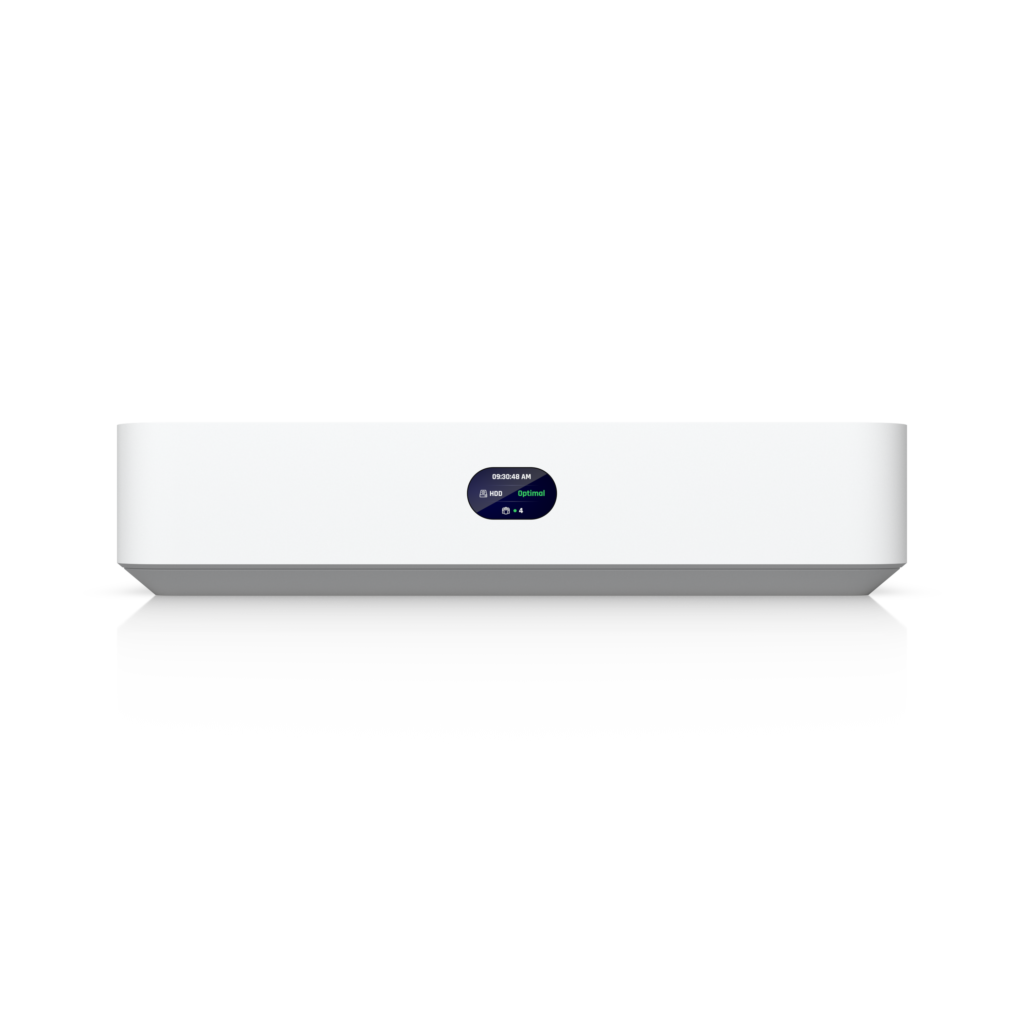
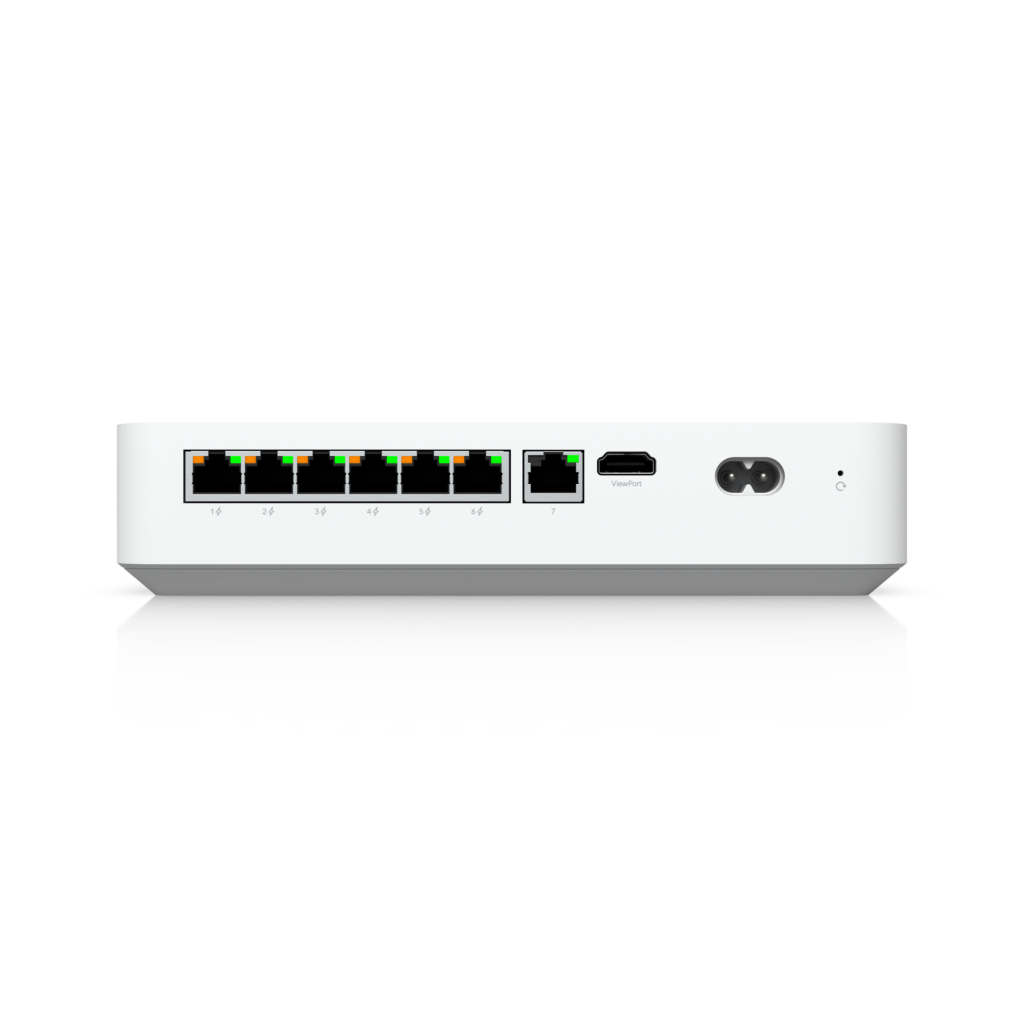
A practical design would use a compatible UniFi Protect console or NVR, suitable storage and approximately four UniFi PoE cameras. Ubiquiti’s current G6 Bullet and G6 Turret specifications list 4K recording, smart detection for people, vehicles and animals, face recognition and licence-plate recognition. Either is a credible starting point, but the mounting position, field of view and scene should decide which camera style suits each location.
For a camera-only upgrade, the Network Video Recorder Instant (UNVR) is a neat fit. Ubiquiti specifies one 3.5-inch drive bay, six integrated PoE ports and capacity for up to six 4K cameras. It requires an existing gateway or Layer 3 switch, so it does not replace the router.
The Dream Machine Pro Max or UDM Pro is different. It is a rack-mount cloud gateway that also runs Protect. Ubiquiti specifies two 3.5-inch NVR drive bays and capacity for up to 15 4K cameras. It makes sense if the project also includes a UniFi network or gateway upgrade. Buying it only for four cameras would usually be unnecessary.
Note: UNVR supports 3rd party cameras, if only the camera support ONVIF. Most of the old Reolink, Dahua, Swann system does not support ONVIF out of the box. Also AI features events trigger from Camera not from NVRs.
Why choose it
- One coherent mobile and web experience for live view, recorded events and alerts.
- Local NVR storage without a mandatory cloud-recording subscription for ordinary local recording.
- Relevant detection and recognition features on the current G6 Bullet and G6 Turret.
- Room to expand into UniFi networking, Wi-Fi, doorbells and access control.
- Enough stated capacity on the UNVR Instant for the proposed four-camera 4K deployment.
Trade-offs
- It will probably have the highest initial cost once cameras, recorder, storage and installation are included.
- Replacing the Reolink, Dahua, Swann cameras gives the cleanest and most predictable result. Protect can work with some third-party cameras, but that does not prove a particular Reolink, Dahua, Swann stream will adopt cleanly or receive the same AI features.
- Face and plate recognition are camera-specific features, not universal capabilities of every UniFi camera.
- The single-drive UNVR Instant has less storage resilience than a multi-drive recorder. Discuss retention and failure tolerance before choosing it.
- An NVR camera rating confirms capacity, not retention. Calculate storage from camera count, resolution, frame rate, bitrate and recording mode.
Option 2: Synology NAS with Surveillance Station
Best chance of reusing compatible cameras
Synology Surveillance Station is the middle path. It is a mature commercial video-management platform with local storage, broad camera support and useful NAS functions for backups, photos and files.
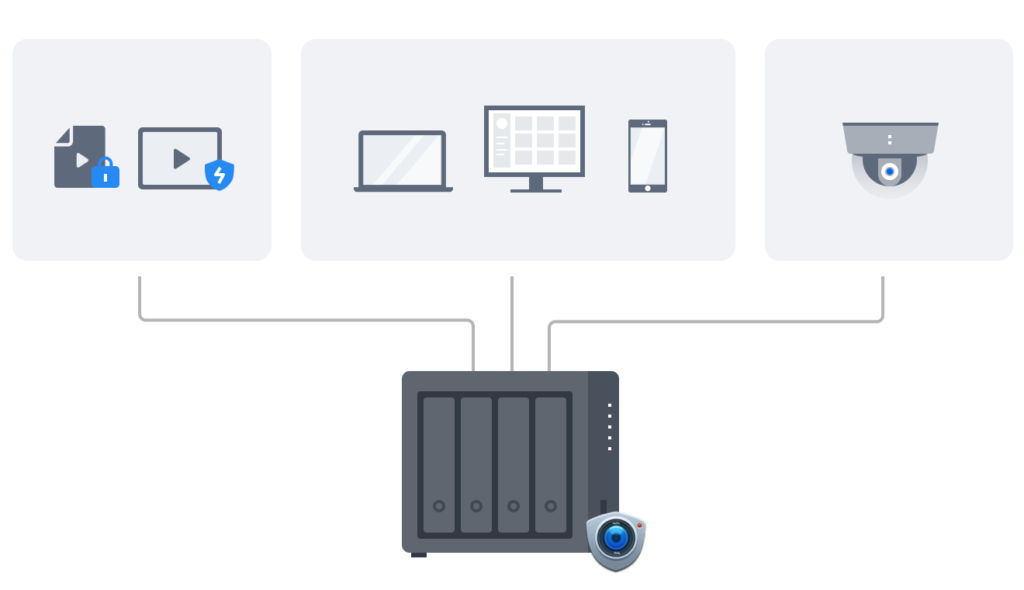
It may allow some or all of the existing Reolink, Dahua, Swann cameras to be reused, but only if those cameras, or the Reolink, Dahua, Swann NVR, expose usable streams and controls. Check the following first:
- Does each camera provide an accessible RTSP stream?
- Is it ONVIF-compatible, and which profiles and functions does it expose?
- Is each camera individually addressable, or is it locked behind the NVR’s private PoE network?
- Does the exact model appear on Synology’s camera support list, or can it be added using Synology’s integration tools?
Synology’s compatibility catalogue says Surveillance Station supports more than 20,000 integrations from 200 brands. That large catalogue is not a promise that an unknown Reolink, Dahua, Swann model will work. Even when basic video records correctly, motion events, audio, multiple streams and camera-side analytics may not all pass through.
The current Australian DS925+ / DS925neo+ product page describes a four-bay platform that can manage up to 40 IP cameras. That maximum is not a recommended workload for every resolution and bitrate, and it does not mean the NAS can perform advanced AI analysis on 40 streams.
Licensing and AI limits
Synology’s official licensing page says a standard Synology NAS includes two default Surveillance Station device licences. A four-camera installation would normally need two more. Add-on licences are sold in one-, four- and eight-device packs and do not require renewal. Check Australian reseller pricing when quoting the job.
Do not overstate the intelligence of a general DiskStation. Search and analytics depend on the NAS model, Surveillance Station version, camera support and whether analytics run in the camera or on specialised Synology hardware. Synology’s DVA line is designed for server-side deep-video analytics; a DS925-class NAS should not be presented as equivalent to a DVA appliance. Confirm the required person, vehicle, face or plate workflow against the exact camera and NAS combination before purchase.
Why choose it
- The best opportunity of these three options to reuse standards-compatible cameras while retaining a supported commercial platform.
- Local recording with flexible multi-drive storage.
- A broad compatibility catalogue and mature desktop and mobile surveillance interfaces.
- A NAS that can also handle backups, file storage and photo management.
Trade-offs
- Compatibility testing is mandatory. “PoE camera” does not automatically mean “open IP camera”.
- A standard NAS includes two licences, so a four-camera installation normally needs two more.
- AI capability is less predictable because it may depend on the camera, NAS model and configuration.
- Combining surveillance and business backups on one NAS shares resources and creates a broader failure domain. Plan storage, workload and backups carefully.
Option 3: Frigate on a small server
Best for flexibility, Home Assistant and technical owners
Frigate is open-source NVR software built around local object detection. It is highly configurable, works with accessible camera streams and integrates with Home Assistant. For a hobbyist or heavily customised smart home, it can do things that packaged systems do not make easy.
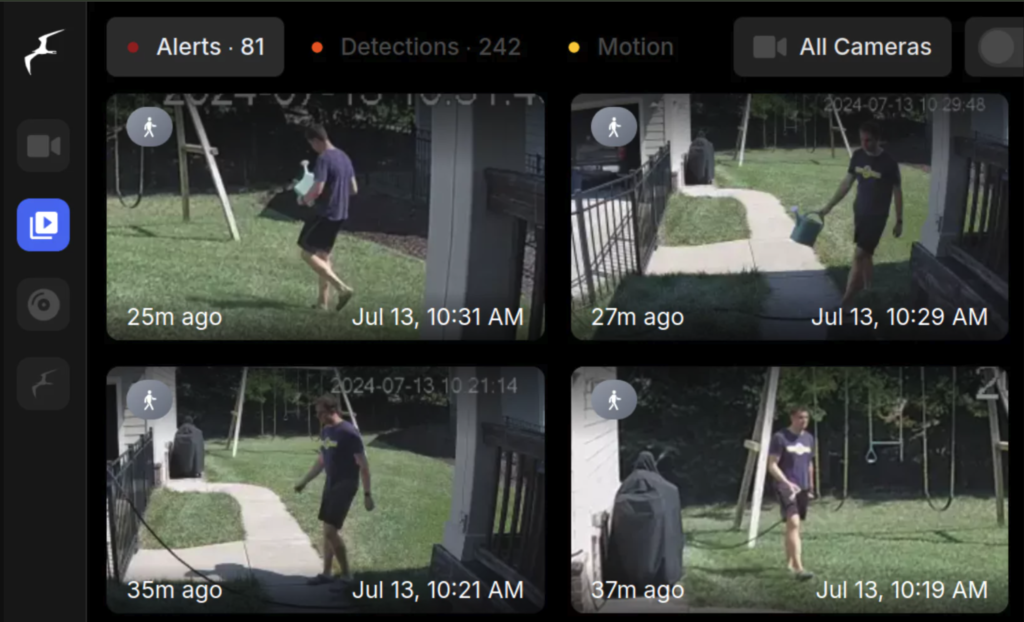
Current Frigate documentation covers:
- object detection with supported CPU, GPU, NPU and accelerator back ends;
- local semantic search using text or image similarity;
- local face recognition using enrolled images;
- local licence-plate recognition, with recognised plates available in event details and filters; and
- Home Assistant integration using MQTT.
These features are not all enabled simply by installing Frigate. Semantic search, face recognition and LPR are separate enrichments with their own models, configuration and hardware requirements.
Frigate says semantic search needs at least 8 GB of RAM and an AVX/AVX2-capable CPU. Its documentation warns that small systems such as a Raspberry Pi will not run semantic search reliably, or at all. LPR needs at least 4 GB of RAM and an AVX/AVX2-capable CPU. A Raspberry Pi 5 may suit a narrower Frigate workload with supported acceleration, but it is not my recommendation when rich semantic search is a core requirement.
For this project, an Intel N100-class mini PC is a more sensible baseline than a Raspberry Pi 5. Frigate’s hardware guide currently recommends an N100-based Beelink EQ13 for several 1080p cameras with low-to-medium activity. More cameras, 4K streams, heavy activity, longer retention, richer models or several AI enrichments may justify a stronger Intel system or dedicated GPU or NPU.
A Google Coral can still be useful with compatible object-detection models, but it should not be sold as simply “good for four cameras”. Capacity depends on the detection-stream resolution and frame rate, activity, model, inference speed and other work handled by the host. Frigate also supports Intel OpenVINO and other detector options, so Coral is not automatically the best choice for every new build.
Why choose it
- Open source and comparatively vendor-independent.
- An excellent fit for Home Assistant automations and custom alerts.
- Strong object detection with optional semantic search, face recognition and LPR.
- Local operation after the required models have been downloaded.
- Plenty of room for an experienced owner to extend and tune the system.
Trade-offs
- The owner or installer is responsible for Linux or container setup, updates, backups, security and troubleshooting.
- Reolink, Dahua, Swann RTSP access still has to be proven.
- Hardware sizing is workload-specific. Resolution, frame rate, codec, substreams, detector, retention and enabled enrichments all matter.
- Frigate recommends H.264 video and AAC audio for the broadest feature compatibility, so camera stream formats may need adjustment.
- It is the most flexible option and the easiest to under-specify.
Side-by-side comparison
| Consideration | UniFi Protect | Synology Surveillance Station | Frigate |
|---|---|---|---|
| Best fit | Client wanting the simplest reliable experience | Client wanting a supported platform and possible camera reuse | Technical owner wanting maximum control and automation |
| Reuse existing Reolink, Dahua, Swann cameras | Do not assume it; replacement is the safest design | Best chance, subject to exact RTSP/ONVIF compatibility | Possible if stable, accessible RTSP streams exist |
| Person/vehicle event search | Strong on supported UniFi cameras | Camera, model and configuration-dependent | Strong with a suitable detector and model |
| Semantic or natural-language search | Platform and camera generation-dependent; verify the exact workflow | Do not assume it on a general DiskStation | Available; requires AVX/AVX2, at least 8 GB RAM and appropriate compute |
| Face recognition | Supported by selected cameras, including the current G6 Bullet and G6 Turret | Hardware and camera-dependent; do not assume | Available as an optional configured enrichment |
| Licence-plate recognition | Supported by selected cameras, including the current G6 Bullet and G6 Turret; scene design still matters | Hardware and camera-dependent; do not assume | Available; disabled by default, with compute and camera setup still important |
| Storage | Local Protect console or NVR storage | Local NAS storage | Local storage designed and maintained by the owner |
| Extra camera licensing | No per-camera recording licence identified for the proposed Protect setup | Two default NAS licences; normally buy more above two cameras | Open-source core; optional services or models may have separate terms |
| Installation effort | Low to moderate | Moderate | High |
| Ongoing maintenance | Low to moderate | Moderate | Highest |
| Relative initial cost | Usually highest | Mid-range if cameras can be reused | Hardware can be modest, but engineering time is significant |
My recommendation
- UniFi Protect
Choose this when the priority is a system that a homeowner or small-business client can use every day without becoming its administrator. For approximately four cameras, the UNVR Instant has enough stated camera capacity. Finalise the camera mix and storage only after a site survey and retention calculation. Use the Dream Machine Pro Max where the network is also moving to UniFi or its gateway features are genuinely needed.
- Synology Surveillance Station
Choose this when preserving existing cameras could materially reduce cost and a NAS would provide other useful services (Apple iCloud and Google Drive alternative). Buy nothing until one representative Reolink, Dahua, Swann camera has been tested for stable live view, recording, event handling and playback.
- Frigate
Choose this for a technically confident owner who values Home Assistant integration, local AI experimentation and custom workflows more than appliance-like support. Start with an Intel mini PC rather than assuming a Raspberry Pi will handle semantic search and every enrichment.



Leave a Comment